Think out loud
Your first thought doesn't have to be perfectly structured. Just explain what you're trying to figure out.
Real-time voice typing for ChatGPT, Claude, Gemini, DeepSeek, and more. Speak long prompts, instructions, details, and follow-ups directly into any AI chat.
Type to AI
Short prompt. Missing context. Generic answer.
When you type, you spend 4x more time or keep things short, because it feels like too much effort to write it all out.
Speak to AI

More context. Less effort. Better answer.
Voice lets you explain the whole thing and include the details AI needs to give you a more useful answer.
Give AI the context in 30 seconds that would take 5 minutes to type.
Your first thought doesn't have to be perfectly structured. Just explain what you're trying to figure out.
Tell what happened, what you've tried, and what you need. Say the requirements and exceptions that matter.
Speak your thoughts as they come. Fast speech to text for ChatGPT and AI chats turns your voice into text instantly.

I need to email a client who still hasn’t approved the latest design. We can’t start development until they sign off, and the delay is pushing back our launch date. I want to explain that clearly without sounding frustrated or putting pressure on them. Keep it friendly and professional, and ask if they can share their feedback by Thursday.
Dictate in your language: English, Spanish, Urdu, Korean, Arabic, 50+ more
No new AI app to learn. More than just a ChatGPT voice extension – use the same voice typing experience wherever you already work.
“I used to lose ideas before I could type them. Now I can create notes really quickly, and I don't have to keep everything in my head.”
“It understands my accent surprisingly well. I don't have to slow down. I speak normally and barely edit anything.”
“Emails take me half the time now. I just say what I want to write instead of overthinking every sentence.”
“I used to lose ideas before I could type them. Now I can create notes really quickly, and I don't have to keep everything in my head.”
“It understands my accent surprisingly well. I don't have to slow down. I speak normally and barely edit anything.”
“Emails take me half the time now. I just say what I want to write instead of overthinking every sentence.”
“The language detection works really well. It handles multilingual speech much better than expected.”
“Really useful for writing long emails and messages. I can just speak naturally and it turns it into clean text.”
“Good to use. Thank you.”
“The language detection works really well. It handles multilingual speech much better than expected.”
“Really useful for writing long emails and messages. I can just speak naturally and it turns it into clean text.”
“Good to use. Thank you.”
Hands-free voice typing for clearer prompts and sharper answers.
Dictate prompts to ChatGPT and any AI chat in seconds instead of typing them out word by word.
Explaining aloud brings out details you'd have left out while typing. The more context you give AI, the more useful its response can be.
Many follow-up prompts happen because the AI was missing context. Say it all upfront by voice instead of spending extra messages.
Automatic punctuation and corrections turn natural speech to text. Easily edit your prompt afterwards – you decide what gets sent.
Only listens when you click the microphone. Never listens in the background. Turn it off anytime.
Speak in 50+ languages. Switch languages mid-sentence or mix two languages in one prompt. No settings. No restart.
Install our ai dictation app in one click.
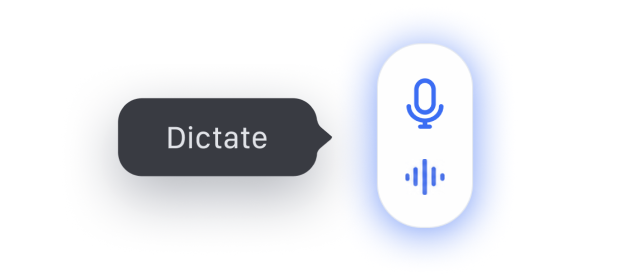
A microphone appears everywhere you write.
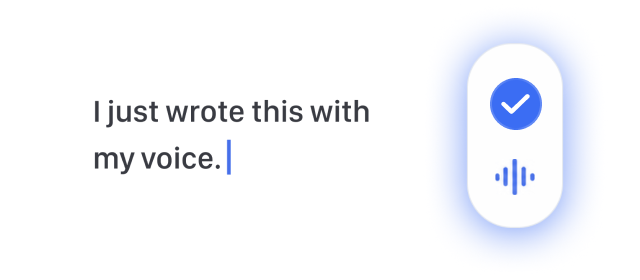
Your thoughts become text instantly.
No. If you are looking for how to talk to ChatGPT with voice, you don't need to change how you prompt. Just speak naturally and explain it the way you'd explain it to a person. Your words become text, so you can give AI the details without having to structure every sentence first.
It works natively with ChatGPT, Claude, Gemini, DeepSeek, Grok, and Perplexity, plus any website or web-based text field.
Native ChatGPT Voice Mode is a two-way audio conversation where the AI speaks back aloud. This tool provides ChatGPT speech to text: you dictate complex, structured instructions into the prompt box, review or edit the text, and receive standard written answers.
No. Your words turn into editable text inside the chat box. You stay in full control to review and edit your text before choosing to send.
No. The microphone only turns on when you click the mic icon or press your hotkey. It never listens or records in the background.
While designed primarily for AI chats, you can use this AI voice dictation software across the web: in Google Docs, emails, Slack, and any input field.
You can dictate in 50+ languages, including English, Spanish, Portuguese, French, Japanese, and Chinese. The voice typing software automatically detects your language, or you can pick a specific language for maximum accuracy.
No account required. No setup needed. It's ready to use in seconds. Just install it in one click.
Yes. You can use Speak to Type for 3,600 seconds of free dictation every month, with no account or credit card required. If you dictate often and need more, request Early Access – we're happy to give unlimited voice typing to our early users.